
Features Built for Maximum Security and Usability
Vaultix Wallet combines bank-grade security architecture with intuitive user experience. Every feature is designed to protect your digital assets while making self-custody accessible.
Core Capabilities Preview
Eight essential features working together to provide the most secure and user-friendly cold storage experience. All features are in active development for our Q3/Q4 U2026 launch.
Secure Element Chip
Bank-grade EAL6+ certified chip isolates private keys from potential attacks. Military-grade cryptographic operations.
Offline Signing
Air-gapped transaction signing keeps your keys offline. Physical confirmation required for every transaction.
Multi-Chain Support
Native support for Bitcoin, Ethereum, and 1000+ tokens. Unified interface for your entire portfolio.
Encrypted Recovery
BIP39 seed phrase encrypted with additional passphrase layer. Optional Shamir secret sharing for advanced users.
Open-Source Firmware
Fully auditable codebase on GitHub. Community-verified security with reproducible builds.
Desktop Application
Full-featured desktop companion for Windows, macOS, and Linux. Advanced portfolio management and analytics.
Mobile App Integration
iOS and Android apps for on-the-go transaction verification. Bluetooth connectivity with hardware device.
Firmware Upgrades
Over-the-air updates with cryptographic signature verification. Never obsolete, always improving.
Secure Element Chip: Bank-Grade Protection
At the heart of Vaultix is a certified Secure Element (SE) chip-the same technology used in credit cards and passports. This dedicated cryptographic processor isolates your private keys from the main device processor, creating an impenetrable barrier against malware, physical attacks, and supply chain tampering.
Unlike software wallets that store keys in vulnerable device memory, the Secure Element never exposes your keys to the operating system. All cryptographic operations happen inside the chip's protected environment.
What is EAL6+ certification? The Common Criteria Evaluation Assurance Level 6+ is one of the highest security certifications available for commercial products. It requires rigorous testing against side-channel attacks, fault injection, and physical penetration attempts.
Technical Specifications
| Chip Type | Secure Element (SE) |
| Certification | EAL6+ (Common Criteria) |
| Key Storage | Hardware-isolated, tamper-proof |
| Cryptographic Algorithms | ECDSA, EdDSA, Schnorr, BLS |
| Random Number Generation | True RNG (TRNG) |
| Side-Channel Protection | DPA/SPA countermeasures |
| Physical Tampering Detection | Active shields, mesh sensors |
Why This Matters: Software wallets and unprotected hardware devices can be compromised if malware gains access. A Secure Element makes key extraction computationally infeasible-even with physical possession of the device.
Offline Transaction Signing: Step-by-Step
Your private keys never connect to the internet. Every transaction is signed offline and verified on-device before broadcast.
Create Transaction
Using the Vaultix desktop or mobile app, compose your transaction: recipient address, amount, gas fees. The app connects to the blockchain to fetch current balances and fee estimates.
Transfer to Hardware Device
The unsigned transaction data is sent to your Vaultix wallet via USB or Bluetooth. Only transaction details cross this connection-never your keys.
Review & Confirm On-Device
Vaultix displays the full transaction on its secure screen: recipient address, amount, network fees. Verify every detail matches your intent. Malware cannot alter this display.
Sign Inside Secure Element
After physical confirmation (button press or PIN entry), the Secure Element cryptographically signs the transaction using your private key. The key never leaves the chip.
Broadcast Signed Transaction
The signed transaction returns to your app, which broadcasts it to the blockchain network. Your keys remain offline throughout the entire process.
🛡️ Air-Gap Guarantee
Even if your computer or phone is infected with malware, attackers cannot steal your keys. The worst they can do is request signature of a malicious transaction-which you'll see and reject on the Vaultix screen before signing.
Multi-Chain Support: One Device, All Your Assets
Modern crypto investors need multi-chain exposure. Vaultix supports every major Layer-1 blockchain and thousands of tokens-eliminating the need for multiple hardware wallets.
Supported Blockchains & Standards
- Bitcoin: Native SegWit (P2WPKH), Taproot (P2TR), BIP39/BIP44/BIP84 derivation paths
- Ethereum: ERC-20 tokens, ERC-721/ERC-1155 NFTs, EIP-1559 gas optimization
- Layer 2: Polygon, Arbitrum, Optimism, zkSync, Starknet
- DeFi Chains: Avalanche, Binance Smart Chain, Fantom, Solana
- Privacy Coins: Monero (XMR), Zcash (ZEC) shielded transactions
- Altcoins: Litecoin, Cardano, Polkadot, Cosmos, Algorand
🔗 Curve Support
Vaultix's Secure Element handles multiple cryptographic curves: ECDSA (secp256k1) for Bitcoin/Ethereum, EdDSA (Ed25519) for Solana/Cardano, Schnorr signatures for Taproot, and BLS for Ethereum 2.0 staking.
Future-Proof Design: New blockchains and token standards can be added via firmware updates. You won't need to buy new hardware as the crypto ecosystem evolves.
Encrypted Backup and Recovery: Never Lose Access
Losing your device doesn't mean losing your crypto. Vaultix implements industry-standard BIP39 seed phrases with optional advanced protection layers.
📝 Initial Backup Process
- Generate Seed Phrase: Vaultix creates a 24-word BIP39 mnemonic using true random number generation from the Secure Element.
- Write Down Offline: Record your seed phrase on the included recovery card. Never photograph or digitally store it.
- Add Passphrase (Optional): Add a 25th word memorized passphrase for additional security. Even if someone finds your seed phrase, they can't access funds without the passphrase.
- Verify Backup: Vaultix prompts you to re-enter random words to confirm accurate recording.
- Secure Storage: Store recovery card in fireproof safe, safety deposit box, or distributed Shamir secret shares.
🔓 Recovery Process
- Obtain Replacement Device: Purchase new Vaultix or compatible BIP39 hardware wallet.
- Select "Restore Wallet": Choose recovery mode during device initialization.
- Enter Seed Phrase: Input your 24-word seed phrase using the device interface.
- Enter Passphrase: If you set a 25th word, enter it now.
- Derive Accounts: Vaultix re-derives all your accounts and addresses. Your full balance reappears.
⚠️ Critical Security Warnings
- Never Digital: Never store seed phrases in cloud storage, email, notes apps, or photos. These can be hacked.
- Physical Security: Treat your recovery card like cash. Anyone with physical access can steal your funds.
- Shamir Backup: For large holdings, use Shamir Secret Sharing to split your seed into multiple shares (e.g., 3 of 5 required). Distribute to trusted locations.
- Test Recovery: Before depositing large amounts, practice recovery on a separate device to verify your backup works.
Open-Source Firmware: Audit-Ready Transparency
Closed-source wallets require blind trust. Vaultix's firmware is fully open-source on GitHub, enabling independent security audits and reproducible builds. See exactly what runs on your device.
Why Open-Source Matters for Hardware Wallets
- Community Security Audits: Thousands of cryptographers, security researchers, and developers can review our code for vulnerabilities. Hidden backdoors are impossible.
- Reproducible Builds: Compile the firmware yourself from source code. Cryptographically verify it matches the firmware on your device-proof against supply chain tampering.
- Long-Term Viability: If Vaultix ever shuts down, the community can fork the project and continue development. Your device won't become obsolete.
- Transparency: See exactly how private keys are generated, stored, and used. No hidden telemetry or data collection.
- Trust Through Verification: Don't trust us-verify the code yourself or rely on independent audits from respected security firms.
📋 Verification Process
- Download firmware source code from official Vaultix GitHub repository
- Review cryptographic implementations and key management logic
- Compile firmware using provided build instructions (Docker container)
- Generate SHA-256 hash of compiled firmware binary
- Compare hash with official release signature and device firmware
- If hashes match, firmware is verified authentic and unmodified
// Key derivation from BIP39 seed
fn derive_private_key(
    seed: &[u8; 64],
    path: &DerivationPath
) -> Result<SecretKey, Error> {
    let mut hmac = HmacSha512::new_from_slice(
        b"Bitcoin seed"
    )?;
    hmac.update(seed);

    let master_key = hmac.finalize()
        .into_bytes();

    // Secure Element isolation
    secure_element::derive_child_key(
        &master_key,
        path
    )
}
🔍 Independent Security Audits
Vaultix firmware will undergo comprehensive third-party audits before launch:
- Cryptographic Implementation Review: Verification of key generation, derivation, and signing algorithms
- Secure Element Integration: Audit of hardware-software interface and key isolation
- Side-Channel Analysis: Testing for timing attacks and power analysis vulnerabilities
- Supply Chain Security: Verification of reproducible builds and tamper-evidence
Audit Timeline: Beta firmware audit Q2 2026, production firmware audit Q3 2026. Full reports published publicly.
Desktop Application: Full Control
Vaultix Desktop provides a powerful interface for managing your portfolio, composing transactions, and monitoring blockchain activity-all while keeping your keys safely offline.
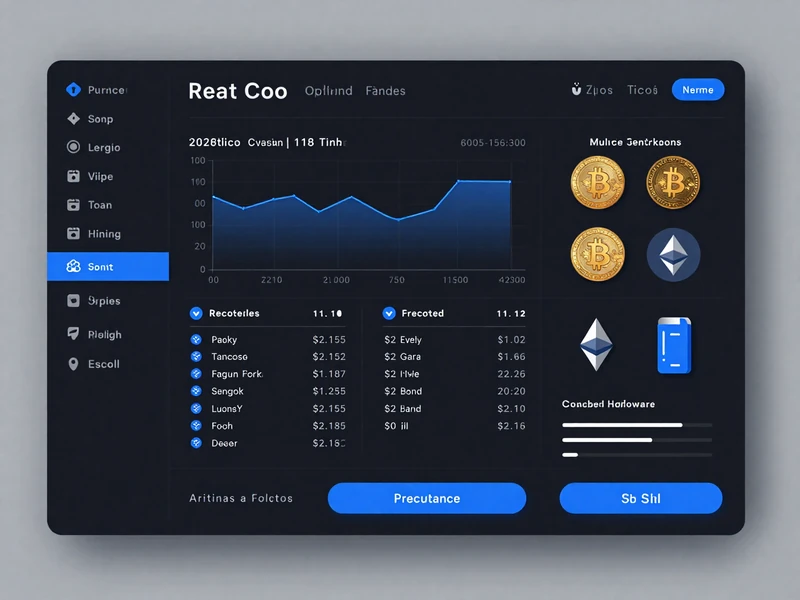
Desktop Features
- Cross-Platform: Native applications for Windows 10/11, macOS 11+, and Linux (Ubuntu, Debian, Fedora)
- Portfolio Dashboard: Real-time balance tracking across all supported chains. Historical value charts and performance analytics.
- Transaction Management: Send/receive crypto with address book, gas fee customization, and batch transactions.
- DeFi Integration: Connect to DeFi protocols via WalletConnect. Sign smart contract interactions with hardware verification.
- NFT Gallery: View your NFT collection with metadata and provenance. Transfer NFTs with on-device confirmation.
- Account Management: Generate unlimited accounts and addresses. Label accounts for organization (e.g., "Trading," "Long-term Hold").
- Privacy Mode: Optional Tor routing for transaction broadcast. Balance obfuscation to prevent shoulder surfing.
- Backup Management: Verify device backup, test recovery process, manage Shamir shares.
🔌 Hardware Connection
Connect via USB-C cable or Bluetooth LE. The desktop app never has access to your private keys-it only sends unsigned transaction data to the device and receives signed transactions back.
Mobile App Integration: Security On-the-Go
Carry your Vaultix wallet for secure transactions anywhere. The mobile app provides streamlined portfolio access and transaction signing with Bluetooth connectivity.
Mobile App Features
- iOS & Android: Native apps for iPhone (iOS 15+) and Android (Android 10+)
- Bluetooth Connectivity: Wireless connection to Vaultix hardware device. Encrypted pairing with PIN protection.
- Quick Balance Check: View portfolio balances without unlocking device. Real-time price updates.
- QR Code Transactions: Scan QR codes to populate recipient address and amount. Generate QR codes for receiving payments.
- Payment Requests: Generate shareable payment links with embedded amount and memo.
- Notification System: Receive alerts for incoming transactions, price changes, and security updates.
- Biometric Security: Protect app access with Face ID, Touch ID, or fingerprint. Device authorization required before signing.
- Transaction History: Search and filter past transactions. Export CSV for tax reporting.
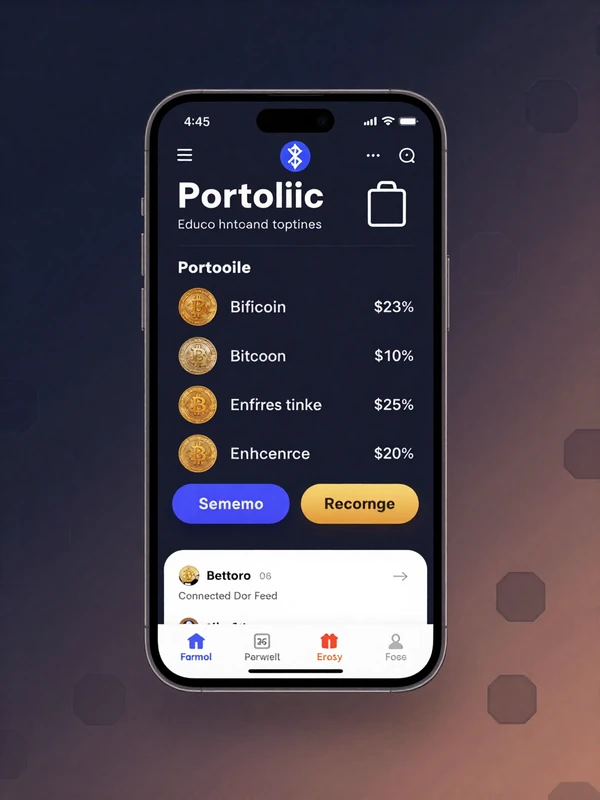
Security Note: The mobile app is a companion interface only. Your private keys remain on the hardware device at all times. Even if your phone is compromised, funds are safe.
UI/UX Design: Security Without Complexity
Hardware wallet UX has traditionally required technical expertise. Vaultix balances rigorous security requirements with intuitive workflows-making self-custody accessible without compromising protection.
❌ Legacy Hardware Wallet UX
- Cryptic error messages ("Derivation failed at m/44'/0'/0'/0/0")
- Manual BIP path entry required for account access
- Small monochrome screens with limited information
- Multi-step button sequences to confirm transactions
- No transaction preview-blind signing required
- Firmware updates require command-line tools
- No integration with DeFi protocols or dApps
✓ Vaultix User Experience
- Plain-language guidance ("Verify recipient address matches")
- Automatic account discovery-just plug in and go
- Color touchscreen with human-readable transaction details
- Single confirmation after reviewing transaction on-device
- Full transaction preview: amount, recipient, fees, smart contract details
- One-tap firmware updates with cryptographic verification
- Native WalletConnect support for seamless DeFi integration
Design Principles
Progressive Disclosure
Show essential information first, advanced options on demand. New users see simplified flows; power users access technical details.
Transaction Clarity
Every transaction displays in human-readable format on the device screen. No blind signing-you see exactly what you're approving.
Zero Configuration
Automatic account discovery, gas fee optimization, and network selection. Sensible defaults eliminate technical decisions.
Security by Default
Highest security settings enabled out-of-box. Optional convenience features (e.g., PIN cache) require explicit opt-in.
Firmware Upgrades: Always Up-to-Date
Blockchain ecosystems evolve rapidly. Vaultix's updatable firmware ensures your device supports new chains, tokens, and security features-without buying new hardware.
Automatic Update Notification
Vaultix Desktop/Mobile app checks for firmware updates weekly. When new firmware is available, you receive an in-app notification with release notes detailing improvements and bug fixes.
Cryptographic Signature Verification
Before installation, the app verifies the firmware is digitally signed by Vaultix's official release key. This prevents malicious firmware from being installed even if an attacker intercepts the download.
Secure Bootloader Update
Firmware is transferred to the device over USB/Bluetooth. The secure bootloader verifies signature again before flashing. Your seed phrase and accounts remain intact throughout the update.
Post-Update Verification
After reboot, Vaultix displays new firmware version on-device. Re-enter PIN to unlock. Verify your balances are correct (no data loss). Optional: rebuild firmware from source and compare hashes for maximum paranoia.
🔐 Update Security Guarantees
Firmware updates use the same cryptographic verification as Bitcoin/Ethereum nodes use to validate blockchain data. Key principles:
- Signed Releases: Every firmware release is signed with Vaultix's offline master key. Public key is hardcoded in bootloader.
- Rollback Protection: Bootloader enforces monotonic version numbers-prevents downgrade attacks to vulnerable older firmware.
- No Remote Kill Switch: Vaultix cannot remotely disable your device. Firmware updates require explicit user approval.
- Open-Source Verification: Reproduce builds from GitHub source. If hashes match, firmware is authentic.
Compatibility and Standards
Vaultix implements all major cryptocurrency standards, ensuring interoperability with wallets, exchanges, and recovery tools across the ecosystem.
| Standard | Description | Support Status |
|---|---|---|
| BIP39 | Mnemonic seed phrase generation (12/24 words) | ✓ |
| BIP32 | Hierarchical deterministic wallet structure | ✓ |
| BIP44 | Multi-account hierarchy (m/44'/coin'/account') | ✓ |
| BIP49 | SegWit P2SH-wrapped addresses (m/49'/coin') | ✓ |
| BIP84 | Native SegWit Bech32 addresses (m/84'/coin') | ✓ |
| BIP86 | Taproot P2TR addresses (m/86'/coin') | ✓ |
| SLIP39 | Shamir Secret Sharing for seed backup | ✓ |
| EIP-155 | Ethereum chain ID for replay protection | ✓ |
| EIP-712 | Typed structured data signing | ✓ |
| EIP-1559 | Ethereum gas fee optimization | ✓ |
| EIP-2930 | Access list transactions | ✓ |
| ERC-20 | Fungible token standard | ✓ |
| ERC-721 | Non-fungible token (NFT) standard | ✓ |
| ERC-1155 | Multi-token standard | ✓ |
| WalletConnect | DeFi dApp connection protocol | ✓ |
| PSBT (BIP174) | Partially Signed Bitcoin Transactions | ✓ |
Description
Support Status
🔗 Universal Compatibility
Because Vaultix follows industry standards, your seed phrase is portable. You can restore your wallet in Ledger, Trezor, or any BIP39-compatible device if needed.
Example: Migrate from Ledger to Vaultix by entering your existing 24-word seed. All accounts and addresses remain identical.
Reserve Your Vaultix Wallet
Join the waitlist for early access, exclusive launch pricing, and priority shipping. No payment required-reserve your spot today.
Join Pre-Order ListFirst batch ships Q3/Q4 2026 • Limited quantities available